Shopify, WooCommerce and Magento themes
Fill a demo store while you build the theme. When the merchant’s photos arrive, you swap the URLs and nothing else in the template changes.
Product photos from a URL
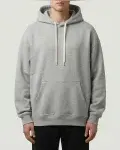
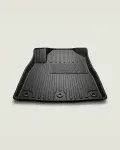
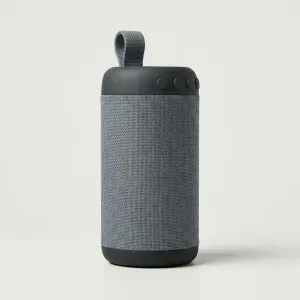
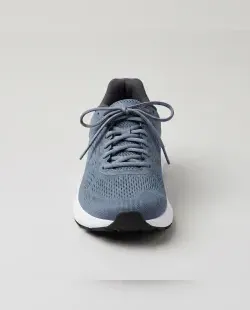
Real product photos from a plain URL, at whatever size you ask for. Every shop item arrives as a set of angles — front, three-quarter, side, back, top, hero and detail — so a mockup gets a working product gallery, not one gray square repeated six times.
One seed holds one product. Pick an angle and the URL walks around it.
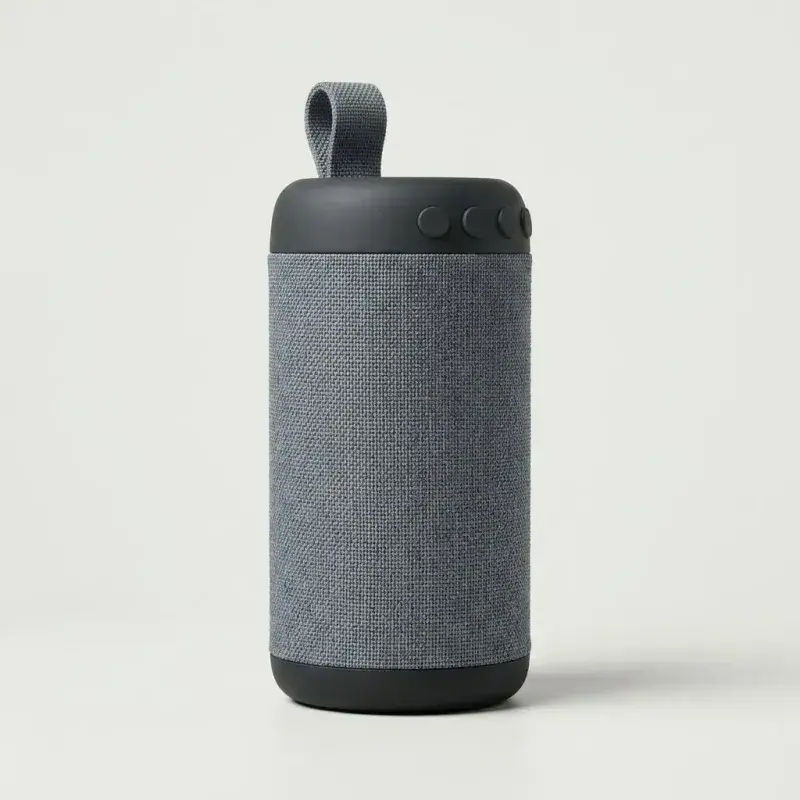 ?angle=2
Anatomy of a URL
Only the size is required. Everything else narrows it down.
img.loomhelix.com
Host
A plain GET. No key, no signup.
/seed/sku-1024
Which product
Same seed, same item. Or a category, an id, or nothing at all.
/600x750
Size
Up to 1600 px, snapped to 10.
.webp
Format
Or jpg, png, avif.
?angle=2
Angle
Which shot. Counting wraps.
01 — Build
Change anything and the URL rewrites itself. The preview is the real response from the server, not a mockup of one.
Your URL
<img
  src="https://img.loomhelix.com/seed/sku-1024/600x750?angle=3"
  alt="Product photo"
  width="600"
  height="750"
  loading="lazy"
>
02 — Catalog
Each category holds shop items photographed from several angles. Every tile is a live request — pick one to load it into the builder.
03 — Use cases
Anywhere an e-commerce layout has to look finished before the merchant has sent a single photo.
Fill a demo store while you build the theme. When the merchant’s photos arrive, you swap the URLs and nothing else in the template changes.
A product grid full of gray boxes reads as unfinished. Real shop item photos let a client judge the layout rather than squint past the placeholders.
A product detail page needs several shots of the same item. One seed holds one product and the angle parameter walks around it.
04 — Reference
Everything is a GET on img.loomhelix.com. The path picks the photo, the query tunes it. Sizes go up to 1600 px and snap to 10.
/600x750 | Any photo from the whole catalog. |
|---|---|
/600 | Square shorthand for /600x600. |
/apparel/600x750 | Any photo from one category. |
/electronics/smartphone/600x750 | Any photo from one subcategory. |
/id/42/600x750 | One specific photo, forever. |
/product/alloy-wheel/600x750 | Any angle of one product. |
/product/alloy-wheel/3/600x750 | That product’s third angle. Counting wraps, so /9 is safe. |
/seed/sku-1024/600x750 | The same product for the same seed. Takes ?category=, ?subcategory= and ?angle=. |
/600x750.jpg | Any shape takes .webp, .jpg, .png or .avif. WebP is the default. |
| Parameter | Values | What it does |
|---|---|---|
blur | 1–100 | Blurs the photo in steps of 5. A loading state behind real imagery. |
grayscale | flag | Drops the color. |
fit | contain, cover, inside | How the photo meets the box. contain keeps the whole item in frame. |
margin | blur, edge | What fills the margins contain leaves: a blurred continuation of the photo, or the flat color of its own edge. |
bg | hex color | Flat fill for the margins contain leaves. Without it: a blurred continuation. |
q | 10–100 | Encoder quality, in steps of 5. Defaults to 80. |
dpr | 1–3 | Multiplies the pixels without changing layout size. |
label | flag | Prints the rendered size on the photo. |
angle | 1 and up | Which shot /seed/… returns. Counting wraps around the set. |
category | category id | Narrows /seed/… to one category. |
subcategory | subcategory id | Narrows /seed/… to one subcategory. Needs category. |
05 — FAQ
Yes. There is no API key, no signup and no rate card. Point an img tag at a URL and the image comes back. A per-IP request budget keeps one caller from starving the rest.
Yes. Every image is generated for this catalog rather than pulled from a stock library, so there is no attribution requirement and no license term that expires when a mockup becomes a product you sell.
Any width and height up to 1600 pixels, written straight into the path as 600x750. Sizes snap to the nearest 10 pixels so the cache stays useful. Add a file extension to pick the format: WebP by default, or JPEG, PNG and AVIF on request.
Use a seed: /seed/sku-1024/600x750 returns the same product for the same seed, so a mockup stays put while you iterate. The /id/ form pins one exact photo forever.
Yes, and the same goes for WooCommerce, Magento, BigCommerce or a storefront you wrote yourself. Loomhelix is a plain URL in an img tag, so nothing needs installing and no platform has to know about it. Swap the URL for the merchant photo when it arrives.
Most placeholder and dummy image services return a solid rectangle with the dimensions printed on it, which tells you nothing about how a shop will look. Loomhelix returns real product photography, so a product grid reads the way it will once the merchant sends their own product images.
Yes. Ask for a category in the path, as in /apparel/600x750 or /electronics/600x750, and you get a shop item from that category. The catalog section on this page lists what is available.
Keep the seed fixed and change the angle parameter. One seed holds one product, and angle 1 through 7 walks around it, which is what fills a product gallery on a mock product page.
06 — License
Every placeholder image here was generated for this catalog, and every one of them is free to use — in a client mockup, a paid theme, a pitch deck or a product you sell.
Free stock libraries generally forbid compiling their catalogs into a service that hands the photos on, which is exactly what a placeholder service does. The public-domain corners of the web give you photographs of real people with no model release attached.
Generated products avoid both. No photographer holds a copyright in them, and no identifiable face appears in the frame.